

Function ExecuteAction() – how it works
Introduction
Dział zatytułowany „Introduction”The AMODIT rule function ExecuteAction() allows to perform a few predefined actions on a file placed on the case attachment list or in some document-type field.
How does ExecuteAction() function work?
Dział zatytułowany „How does ExecuteAction() function work?”Let’s assume that you have a case form like this one on the picture below that contains some document-type field [1].
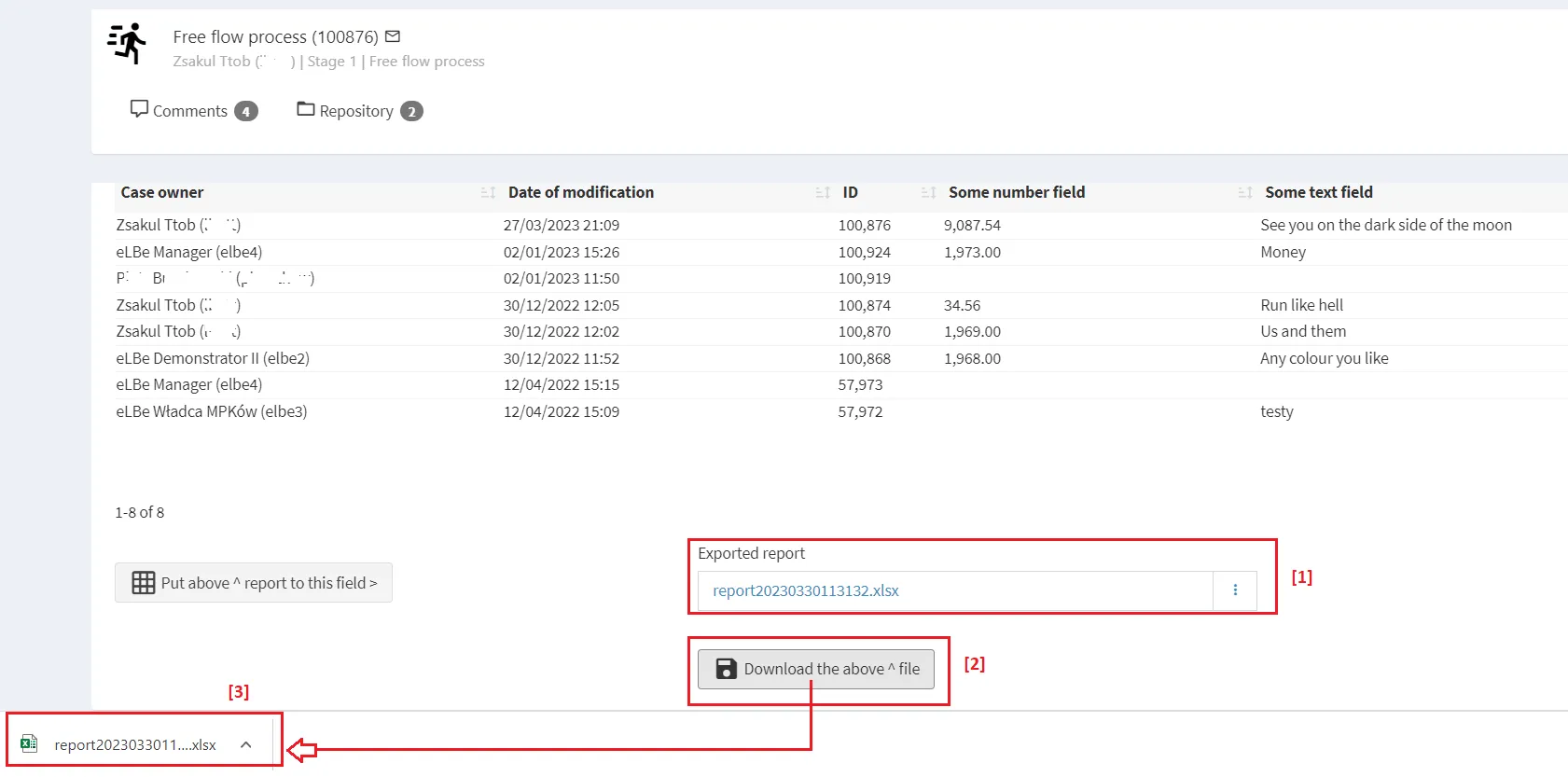
While clicking the rule button [2] the ExecuteAction() function (with the action „download”) is called and the sample Excel file from the „Exported report” field is downloaded [3].
Manual rule configuration
Below we present a sample manual rule configuration. That rule is pinned to the button-type field ([2] on the picture above) and calls the ExecuteAction() function ([4] on the picture below).
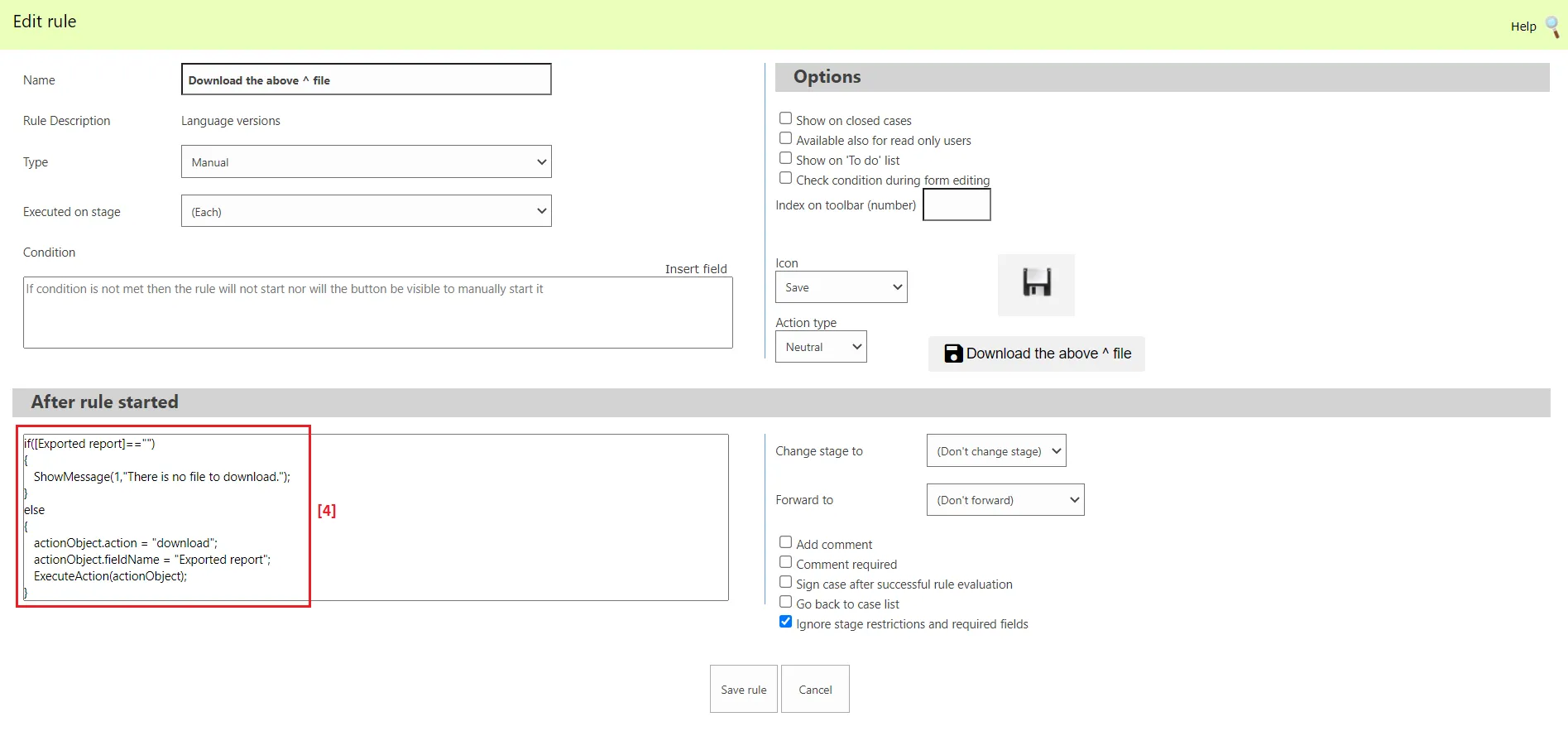
The rule action code looks like this:
if([Exported report]==""){ ShowMessage(1,"There is no file to download.");}else{ actionObject.action = "download"; actionObject.fieldName = "Exported report"; ExecuteAction(actionObject);}